

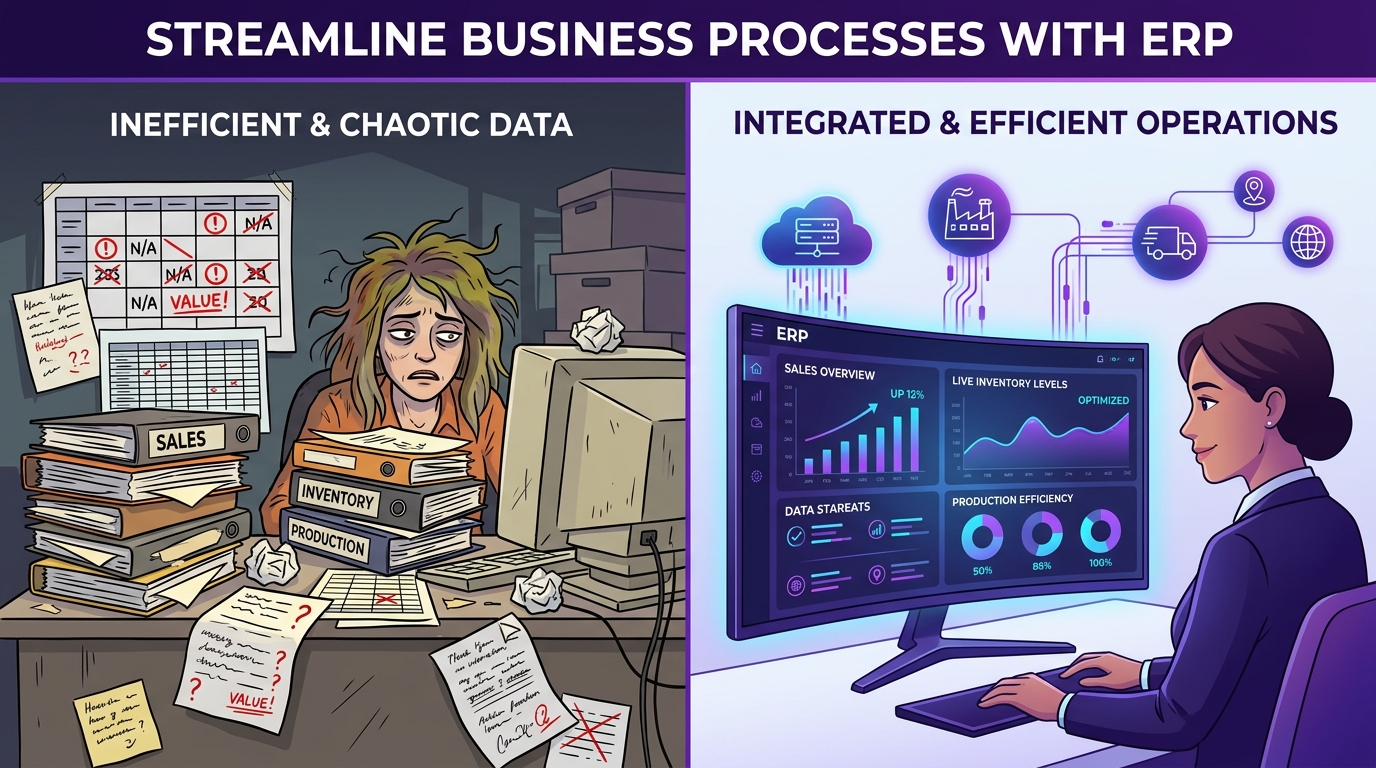
Excel has been an essential business tool for decades. Businesses use spreadsheets to manage sales, purchases, inventory, expenses, production planning, customer information, financial data, and reporting.
For a small business with limited transactions and a simple workflow, Excel can be useful and cost-effective. But as a business grows, spreadsheets become increasingly difficult to manage.
More products → More inventory tracking
More employees → More concurrent users
More transactions → More data silos
More departments → More coordination bottlenecks
Eventually, businesses find themselves maintaining dozens or even hundreds of disconnected spreadsheets. This is where ERP software becomes essential. The real question is not: "Is ERP better than Excel?" A better question is: "At what point does Excel stop being enough for my business?"
Quick Answer: ERP vs. Excel
Excel is a flexible spreadsheet tool that works well for ad-hoc calculations, simple lists, analysis, and single-user tasks. ERP software is an integrated business management system designed to connect multiple departments, synchronize live transactions, automate workflows, enforce role-based permissions, and maintain a single source of truth across sales, inventory, purchasing, production, and finance.
What Is Excel Used for in Business?
Excel is a spreadsheet application used for organizing, calculating, analyzing, and presenting data. Businesses commonly use Excel for customer lists, product catalogs, sales logs, purchase tracking, stock sheets, expense ledgers, and financial modeling.
Excel is widely loved because it is familiar, flexible, easy to start with, and customizable for ad-hoc formulas. The challenge arises when Excel becomes the main operating system for running the entire business.
What Is ERP Software?
ERP (Enterprise Resource Planning) is an integrated software platform that connects multiple operational functions through a shared database. Unlike standalone files, ERP modules work together seamlessly:
Sales & Procurement
Enquiries, quotations, sales orders, automated purchase requisitions, PO 3-way matching, and GST invoices.
Inventory & Manufacturing
Multi-warehouse stock, batch/serial tracking, multi-level BOMs, work-center routing, and MRP calculations.
Finance & Accounts
Accounts receivable/payable, tax compliance, general ledger, profit/loss balance sheets, and cash flow.
Management & Analytics
Live KPI dashboards, production variance tracking, scrap reports, and real-time operational visibility.
What Happens When the Business Grows?
In the early days, a company with 5 employees and 20 monthly orders can comfortably
manage with Sales.xlsx, Inventory.xlsx, and
Accounts.xlsx.
Five years later, with 50+ employees, 1,000+ customers, multiple warehouses, and daily factory runs, the business ends up with dozens of disconnected files:
The issue is no longer whether Excel can store the rows. The challenge becomes: How do you keep all this information synchronized, accurate, secure, and accessible across teams?
ERP vs. Excel: Comprehensive Comparison Table
| Operational Dimension | Excel / Spreadsheets | Integrated ERP System |
|---|---|---|
| Data Architecture | Multiple isolated spreadsheet files | Single centralized relational database |
| Departmental Sync | Manual email/chat updates | Connected, synchronized modules |
| Data Entry Effort | Duplicate entries across departments | Single-point entry with workflow flow |
| Inventory Updates | Manual formulas & periodic counts | Real-time automatic stock ledger updates |
| Sales to Production | Manual notification to shop floor | Automated job order & BOM explosion |
| Purchasing | Reactive orders based on memory | MRP-driven automated purchase suggestions |
| Reporting | Hours/days of manual consolidation | Instant, real-time executive dashboards |
| User Access Control | Basic file password protection | Granular Role-Based Access Control (RBAC) |
| Audit Trail | No native transaction history | Complete log of who changed what and when |
| Multi-Location Support | Complex, error-prone consolidation | Native multi-branch & multi-plant tracking |
| Automation | Fragile formulas and custom VBA macros | Built-in business approval workflows |
| Scalability | Slows down and breaks under volume | Engineered to scale with business growth |
| Hardware Integration | Difficult / requires custom scripts | Standard APIs for barcode, IoT, & scales |
| Data Consistency | Varying customer/item naming conventions | Strictly enforced master data standards |
| Business Workflow | Dependent on individual memory | Enforced, standardized business processes |
| Backup & Security | Scattered on local drives/emails | Automated, encrypted server backups |
16 Critical Differences Between Excel and ERP
1. Centralized Master Data vs. Scattered Files
In spreadsheets, customer names, vendor details, and item codes are typed independently by each team. A customer might be listed as "ABC Industries" in sales, "ABC Industries Pvt Ltd" in accounts, and "ABC Pvt. Ltd." in logistics. ERP maintains a single centralized master record utilized across quotations, deliveries, invoices, and ledger accounts.
2. Manual Data Entry vs. Connected Workflows
With spreadsheets, a single customer order requires manual entry into the sales register, the inventory deduction sheet, the production schedule, and the accounting ledger. An integrated ERP flows information automatically: Sales Order → Material Check → Production Order → Finished Goods → Dispatch → GST Invoice.
3. Inventory Accuracy & Transaction-Based Movements
Spreadsheets calculate stock using static formulas
(Opening + Purchases - Sales = Closing). But physical factories deal with
multi-warehouse transfers, batch numbers, serial numbers, quality rejections, and WIP
issues. ERP records live transactions for every physical movement.
4. Production Planning & BOM Explosion
Calculating raw material needs for 500 finished units across multi-level BOMs, checking machine capacities, and scheduling shifts in Excel requires fragile formulas that easily break. Manufacturing ERP calculates MRP and reserves stock in seconds.
For a comprehensive guide on production routing and machine scheduling, read our article on how manufacturing ERP streamlines production planning.
5. Real-Time Dashboards vs. Delayed Manual Reports
Preparing weekly management reports from spreadsheets requires collecting files, cleaning corrupt cells, and formatting charts. With an ERP, leadership opens a live dashboard showing current sales, floor output, pending dispatches, and cash flow in real time.
6. Data Accuracy & Validation Rules
In spreadsheets, an accidental slip of a key can delete a formula, enter a negative quantity, or miscalculate a tax rate. ERP enforces strict database validation rules (e.g., non-negative stock, valid tax rates, verified customer credit limits).
7. Role-Based Access Control (RBAC)
You cannot easily restrict a spreadsheet so a salesperson sees customer phone numbers without viewing product profit margins or company balance sheets. ERP lets you grant precise granular permissions based on employee roles.
Learn more about securing enterprise information in our guide on ERP software security best practices.
8. Complete Audit Trails
If an inventory count changes from 1,000 units to 750 units in a spreadsheet, identifying who changed it and why is nearly impossible. ERP records timestamps, user IDs, and transaction references for every change.
9. Workflow Automation & Approvals
ERP automates discount approvals, purchase order authorizations, low-stock reorder triggers, and customer payment reminders directly inside the application rather than relying on chaotic email threads.
10. Multi-Location & Multi-Branch Management
Managing multiple factories, regional warehouses, and sales branches via separate spreadsheets leads to constant sync conflicts. ERP centralizes multi-location stock transfers, inter-company billing, and consolidated balance sheets.
11. Elimination of File Version Conflicts
No more confusion over whether Inventory_Final_Updated.xlsx or
Inventory_Final_v3.xlsx is the true version. All employees work
simultaneously on a single live web application.
12. Business Process Standardization
Spreadsheets allow every employee to record data differently. ERP enforces standardized operating procedures for quotes, purchase orders, job cards, quality checks, and invoices across all shifts and teams.
13. True Operational Scalability
While Excel can technically hold 1,000,000 rows, collaboration collapses when dozens of users attempt simultaneous edits. ERP databases are built to handle hundreds of concurrent users and millions of transactions smoothly.
14. Hardware & System Integrations (APIs)
Modern factories need software that connects with barcode/QR scanners, digital weighbridges, IoT machine sensors, payment gateways, and e-Way bill portals via standard REST APIs.
15. Centralized Data Security
Spreadsheets saved on personal laptops or sent via messaging apps are vulnerable to leaks, accidental deletion, or employee departure. ERP centralizes all intellectual property on secure servers with encrypted access.
16. Business Continuity & Automated Backups
A damaged hard drive or lost laptop can wipe out years of critical spreadsheet history. Managed ERP provides scheduled, automated off-site backups with rapid disaster recovery.
Read our guide on ERP maintenance best practices to learn how to keep your system performing with 99.9% uptime.
10 Signs Your Business Has Outgrown Excel
A business should consider transitioning to an ERP when operational complexity exceeds spreadsheet capabilities:
Practical Scenario: Processing a 1,000-Unit Order
Compare how a manufacturing business handles a 1,000-unit customer order in both environments:
Using Excel
- Sales logs order in
Sales.xlsx. - Production planner manually checks
BOM.xlsx. - Stores checks
Inventory.xlsxfor material stock. - Purchase manually calculates shortage in
PO_Log.xlsx. - Production builds schedule on a whiteboard.
- Accounts re-enters customer data in billing software.
- Management combines files for reporting weeks later.
Using Uttercode ERP
- Sales Order created once in system.
- ERP explodes multi-level BOM automatically.
- System checks free stock and reserves required materials.
- MRP automatically generates Purchase Requisition for shortage.
- Job Card created with work-center routing.
- One-click e-Way bill and GST Tax Invoice generation.
- Live dashboards update executive KPIs immediately.
Does ERP Completely Replace Excel?
No—and it shouldn't. Excel remains an outstanding tool for ad-hoc modeling, quick calculations, temporary analysis, and forecasting.
The Golden Rule for Growing Businesses
"Use Excel to analyze your business. Use ERP to run your business."
In a modern enterprise, ERP acts as the transactional system of record. When management wants to create custom financial models or forecasts, they simply export clean data from the ERP into Excel for analysis.
Common Mistakes When Moving From Excel to ERP
Avoid these frequent pitfalls during the transition from spreadsheets to ERP software:
Trying to Copy Every Spreadsheet
Not every informal sheet needs to become a custom module. Prioritize core operational workflows first.
Migrating Dirty Data
Clean duplicate customer names, obsolete item codes, and unverified inventory counts before importing master files.
Over-Customizing Standard Workflows
Recreating exact spreadsheet quirks inside the ERP increases complexity. Adopt proven industry best practices.
Inadequate Employee Training
Employees must understand not only how to navigate screens, but why synchronized data benefits their daily tasks.
10-Step Blueprint for Moving from Excel to ERP
A structured migration ensures minimal business disruption:
- Audit Existing Spreadsheets: Catalog all active sheets across sales, stores, purchase, production, and accounts.
- Map Core Business Workflows: Define the end-to-end flow from quotation to delivery and payment.
- Clean Master Data: Remove duplicate customer names, obsolete item codes, and unverified inventory counts.
- Define Modular Requirements: Select the ERP modules needed today (e.g. Sales, Stores, MRP, Accounting).
- Configure the ERP: Set up users, roles, tax rules, warehouse locations, and custom print templates.
- Import Cleaned Master Data: Upload verified customer, vendor, and item masters with opening balances.
- Simulate Real Business Scenarios: Test actual quotes, purchase orders, job cards, and invoices in a sandbox environment.
- Train Departmental Users: Ensure team members understand their role-specific screens and workflows.
- Execute Go-Live: Transition core transactions into the ERP as the primary system of record.
- Keep Excel for High-Level Analysis: Continue using spreadsheets where ad-hoc calculation adds value.
ERP Red Flags to Watch For
Be careful and probe deeper if an ERP vendor exhibits any of these warning signs during evaluation:
- Cannot demonstrate your actual workflow: Relies only on generic canned slide decks without actual transactions.
- Unclear implementation timelines: Cannot outline milestone deliverables or data migration steps.
- Excessive custom coding requirements: Standard software lacks basic multi-level BOM and inventory logic.
- Vague data migration process: Unclear on how historical accounting and item masters will be cleaned and imported.
- Limited reporting capabilities: Lacks standard manufacturing variance, scrap, and job costing reports.
- Unclear pricing & hidden fees: Unspecified charges for extra users, API access, or annual maintenance.
- Poor user permissions & access control: Cannot enforce granular role-based security across departments.
- Closed system without APIs: Inflexible architecture unable to connect barcode scanners or factory hardware.
How Uttercode ERP Empowers Growing Businesses
Uttercode ERP is purpose-built for growing businesses and manufacturing enterprises looking to eliminate spreadsheet chaos and gain real-time visibility.
By uniting sales, purchase, inventory, production, quality, and accounts in a secure cloud platform, Uttercode ERP eliminates duplicate data entry, enforces process discipline, and provides leaders with live decision-making dashboards:
Ready to Upgrade from Spreadsheets to an Integrated ERP?
Experience how Uttercode ERP can connect your sales, purchasing, inventory, production, and accounts with a personalized walkthrough.
Frequently Asked Questions
Is ERP better than Excel?
ERP and Excel serve different purposes. Excel is excellent for calculations, analysis, and smaller processes, while ERP is designed to manage integrated business operations. Growing businesses often benefit from using ERP for core processes while continuing to use Excel for analysis.
When should a business move from Excel to ERP?
A business should consider ERP when spreadsheets become difficult to manage because of increasing transactions, users, departments, locations, inventory, production complexity, reporting requirements, or data duplication.
Can small businesses use ERP software?
Yes. Small businesses can use ERP to organize operations and establish scalable processes. However, the ERP should be appropriately sized for the company's requirements and budget.
Can ERP replace Excel completely?
Not necessarily. Excel remains useful for ad-hoc calculations, analysis, forecasting, and specialized models. ERP serves as the primary system of record for structured business transactions.
Is Excel suitable for inventory management?
Excel can work for simple inventory requirements. However, multi-warehouse inventory, large product catalogs, frequent transactions, batch/serial tracking, production consumption, and real-time stock requirements make spreadsheet-based inventory management increasingly difficult.
Can ERP improve production planning?
Yes. Manufacturing ERP can connect sales orders, BOMs, material requirements, inventory, work centers, production orders, and delivery schedules to support production planning.
Is ERP more expensive than Excel?
ERP requires an investment in software, implementation, training, and support, while Excel has a lower initial cost. The important comparison is the total cost and business value, including the time and risks associated with manual processes.
Conclusion
Excel is not the enemy of ERP—it is one of the most versatile business tools ever built. The breakdown occurs when a growing company tries to use spreadsheets as its entire business management system.
As your customer list, transaction volume, warehouse locations, and production runs expand, moving your core business processes to an integrated ERP provides the structure, security, and visibility needed to scale.
Use Excel to analyze your business. Use ERP to run your business.