

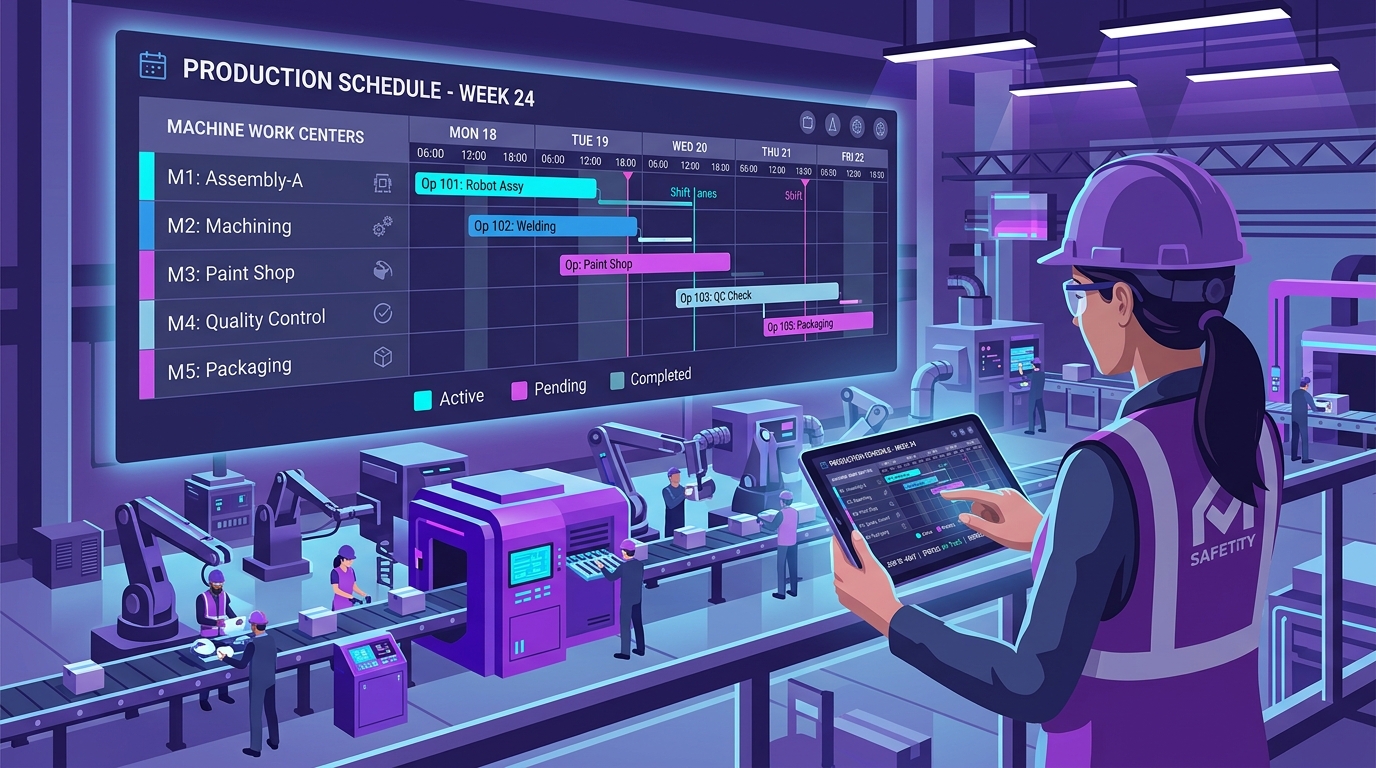
Production planning and scheduling are at the heart of every manufacturing business. When materials, machines, employees, production orders, and delivery deadlines are not properly coordinated, manufacturers face production delays, excess inventory, machine downtime, higher costs, and missed delivery commitments.
Traditional methods such as spreadsheets, manual planning, phone calls, and disconnected software make production planning increasingly difficult as a business grows.
Manufacturing ERP software provides a centralized platform for connecting sales orders, inventory, Bill of Materials (BOM), purchasing, production, work centers, and delivery schedules. This helps manufacturers plan production based on actual business requirements and monitor progress throughout the manufacturing cycle.
In this guide, we explain how manufacturing ERP software streamlines production planning and scheduling, what features to evaluate, and how an integrated ERP workflow improves factory operations.
Quick Answer: How Does ERP Improve Production Planning?
Manufacturing ERP software streamlines production planning by connecting sales demand, inventory, BOMs, material requirements, production capacity, work centers, and delivery schedules in one unified system. Instead of relying on manual spreadsheet checks, ERP provides complete real-time visibility into what needs to be produced, required materials, machine availability, order priorities, and delivery timelines.
What Is Production Planning vs. Production Scheduling?
While often mentioned together, planning and scheduling address two distinct operational stages in a factory:
What Is Production Planning?
Production planning determines what products need to be manufactured, how much needs to be produced, what resources are required, and when production should take place.
A comprehensive production plan evaluates:
- Customer orders & confirmed demand
- Multi-warehouse inventory balances
- Raw material & component availability
- Multi-level Bill of Materials (BOM)
- Machine work-center capacity
- Shift labor & operator availability
- Supplier lead times & procurement
- Customer committed delivery dates
What Is Production Scheduling?
While production planning defines what needs to be produced, production scheduling goes one step further to determine when and where production takes place down to the specific machine, work center, and shift.
| Production Requirement | Operational Schedule Parameter |
|---|---|
| Product & SKU | Finished Product A (Control Module / Box) |
| Batch Quantity | 1,000 units |
| Allocated Production Line | Assembly Line 2 (Work Center 3) |
| Planned Start Date | 10 September (Shift 1) |
| Expected Completion | 13 September (Shift 2) |
| Order Priority | High (Customer Order) |
| Material Readiness | 100% Verified in Stores |
| Customer Delivery Date | 15 September |
Why Production Planning Becomes Difficult as a Business Grows
Small manufacturing operations often manage production using spreadsheets or whiteboard schedules. But as the factory scales, complexity increases exponentially:
- Hundreds of active SKUs and multi-level BOM variants
- Multiple machine lines, tooling setups, and specialized work centers
- Varying supplier lead times for domestic and imported raw materials
- Urgent rush orders competing for machine time
- Scrap, rework, and unscheduled maintenance delays
A single change in one department creates a ripple effect across the entire factory. Without an integrated ERP, tracking these dependencies manually results in costly errors and delays. For a strategic guide on choosing the right system, read our guide on how to choose the right ERP software for your manufacturing business.
20 Ways Manufacturing ERP Streamlines Production Planning & Scheduling
1. Connects Sales Orders Directly With Production Demand
Production planning begins with actual market demand. When a sales order is confirmed, the ERP instantly calculates whether stock is available or whether a production order must be released.
2. Uses Multi-Level Bill of Materials (BOM) for Accurate Calculation
An automated BOM breaks down every required raw material, component, sub-assembly, and packaging item per batch.
| Material / Component | Required per Unit | Total for 500 Units |
|---|---|---|
| Raw Material A (Alloy Sheet / Craft Paper) | 2 kg | 1,000 kg |
| Component B (Fastener / Valve) | 1 unit | 500 units |
| Component C (Connector / Ink) | 2 units | 1,000 units |
| Packaging Material | 1 carton | 500 cartons |
3. Automates Real-Time Material Availability Checking
The ERP validates free stock against reserved stock, incoming purchase orders, and required quantities before releasing jobs—preventing line stoppages caused by missing materials.
4. Supports Material Requirements Planning (MRP)
MRP algorithms analyze safety stock thresholds, supplier lead times, and planned batches to answer three critical questions: What do we need? How much do we need? When do we need it?
5. Seamlessly Connects Production With Purchasing Workflows
When MRP detects a shortage, it automatically generates a Purchase Requisition for the procurement team, eliminating manual phone calls and delays.
6. Work Center Routing & Machine Capacity Planning
Map jobs to specific work centers (Cutting → Machining → Assembly → QC → Packing) while calculating available shift capacity to avoid machine overloading.
7. Production Order Lifecycle Tracking
Track job cards through distinct stages: Planned → Released → Material Issued → In-Production → Quality Inspection → Completed → Closed.
8. Dynamic Order Prioritization
Quickly reprioritize jobs based on customer urgency, export ship dates, or machine availability without disrupting ongoing production.
9. Accurate Operation Lead-Time Scheduling
Calculate total processing durations by combining setup times, cycle times, transit times, and inspection intervals across all routing steps.
10. Real-Time Management Dashboards
Plant heads and executives can monitor active jobs, completed batches, delayed orders, and machine utilization rates from a single live screen.
11. Actual vs. Planned Material Consumption Tracking
Log actual raw materials consumed per batch to detect wastage, process losses, or operator data entry errors early.
12. Live Production Output & Yield Logging
Monitor good output vs. scrap and rework in real time at the end of each shift or machine operation.
13. Integrated In-Process Quality Control (QC)
Route production through mandatory inspection gates before products can be moved into finished goods or released for dispatch.
14. Multi-Order Scheduling Optimization
Evaluate dozens of concurrent production orders to balance line loads and minimize tool changeover times.
15. Agile Production Rescheduling
When a machine breaks down or a raw material delivery is delayed, the ERP allows instant schedule recalculation and job reassignment.
16. Granular Production Cost Visibility
Track direct material, labor hours, machine depreciation, scrap costs, and overhead per batch to determine exact SKU profit margins.
17. Cross-Departmental Operational Alignment
Sales, Stores, Purchase, Production, Quality, and Accounts operate on a single source of truth without conflicting spreadsheet copies.
18. Automated Maintenance Coordination
Schedule preventive machine maintenance without clashing with critical production runs. For system upkeep best practices, see our guide on ERP maintenance best practices.
19. Mobile & Shop-Floor Tablet Access
Supervisors and line workers can log job card completions, report scrap, and view engineering drawings directly on tablets.
20. Historical Variance & Continuous Improvement Analytics
Compare planned vs. actual performance over time to optimize standard cycle times and eliminate production bottlenecks.
The 16-Step Connected Manufacturing ERP Workflow
Information moves seamlessly through integrated business milestones without manual re-entry:
Real-World Planning Scenario: Producing 2,000 Units in 15 Days
Consider an industrial equipment manufacturer receiving an order for 2,000 units of Product A with a committed 15-day delivery window:
- Sales Order: Logged and approved with customer delivery terms.
- Automated BOM: Explodes requirements for 4,000 kg raw material, 2,000 sub-units, and hardware.
- Inventory Availability: Identifies 3,000 kg in stock with a 1,000 kg shortage.
- Automated PO: Generates purchase order with 3-day supplier lead time.
- Line Capacity Scheduling: Reserves 80 machine hours on Assembly Line 1 starting on material arrival date.
- Production Execution: Job cards track real-time output across shifts.
- Quality Inspection: 1,980 units approved, 20 units routed for quick rework.
- Finished Storage & Dispatch: 2,000 units packed, e-way bill generated, and dispatched on day 14.
Manual Planning vs. Manufacturing ERP
| Operational Area | Manual / Spreadsheets | Manufacturing ERP System |
|---|---|---|
| Demand Alignment | Disconnected spreadsheets | Directly linked to sales orders |
| BOM Accuracy | Prone to manual calculation errors | Centralized multi-level structure |
| Stock Availability | Manual physical stocktaking | Real-time free vs. reserved stock |
| Material Planning | Reactive & emergency orders | Automated MRP suggestions |
| Machine Scheduling | Static whiteboard notes | Dynamic capacity & work center loads |
| Status Tracking | Phone calls & floor meetings | Live dashboard visibility |
| Material Variance | Discovered weeks later at month-end | Tracked per shift & batch |
| Rescheduling | Chaotic and time-consuming | Instant recalculation across jobs |
Production Planning KPIs to Track
An integrated manufacturing ERP tracks vital operational metrics to support continuous improvement:
Plan vs. Actual Output
Measures percentage variance between targeted batch quantities and actual output.
On-Time Production Rate
Tracks the percentage of production orders completed on or before scheduled dates.
Material Consumption Variance
Compares standard BOM raw material allowances against actual floor consumption.
Overall Equipment Effectiveness (OEE)
Measures machine availability, performance speed, and quality output rates.
Common Mistakes in Production Planning
- Planning without validating stock: Releasing orders before verifying material availability causes costly shop-floor halts.
- Ignoring machine maintenance: Overloading machines without scheduled downtime leads to unexpected breakdowns.
- Isolating purchasing from production: Purchasing materials without visibility into production timelines causes inventory buildups.
- Overlooking scrap and rework: Ignoring yield loss skews actual product costing and delays final order delivery.
How Uttercode ERP Powers Intelligent Production Planning
Uttercode ERP is purpose-built to connect production planning, shop-floor execution, stores, procurement, and accounts into a unified platform.
With native support for multi-level BOMs, dynamic MRP, work center routing, job card barcode scanning, and real-time scrap tracking, Uttercode ERP gives manufacturing leadership complete control over plant efficiency.
Ready to Streamline Your Factory's Production Planning?
Experience a personalized walkthrough of Uttercode ERP tailored to your factory's BOM structures, machine routing, and scheduling requirements.
Frequently Asked Questions
What is production planning in manufacturing?
Production planning is the process of determining what products need to be manufactured, how much should be produced, what resources and materials are required, and when production should take place.
What is production scheduling?
Production scheduling determines when specific production activities should happen and which machines, work centers, or resources should be used.
How does ERP help production planning?
ERP connects sales demand, BOMs, inventory, material requirements, purchasing, work centers, production orders, and delivery requirements, providing a centralized view for production planning.
Can ERP help with material shortages?
Yes. Manufacturing ERP provides visibility into current inventory, required materials, reserved quantities, and incoming purchases, helping planners identify potential shortages before production begins.
Can ERP manage multiple production orders?
Yes. Manufacturing ERP systems centralize production orders and provide visibility into their status, priorities, materials, schedules, and completion.
Can ERP help reduce production delays?
ERP helps identify material shortages, capacity constraints, pending orders, and production bottlenecks earlier, enabling teams to respond more effectively.
Is ERP useful for small manufacturing businesses?
Yes. Small and medium-sized manufacturers can use ERP to organize production, inventory, purchasing, sales, and reporting as their operations become more complex.
What is the difference between production planning and scheduling?
Production planning determines what needs to be produced and what resources are required. Production scheduling determines when production should happen and where the work should be performed.
Conclusion
Effective production planning requires coordinating customer demand, raw materials, inventory, machines, shift workers, work centers, quality checkpoints, and delivery commitments.
Manufacturing ERP software brings these interconnected operations into a single platform—giving production managers the tools to plan accurately, schedule intelligently, minimize wastage, and deliver on time.
Plan better. Schedule smarter. Produce efficiently. Deliver on time.